Just a few notes for Future Tim.
Congratulations, you just spun up yet another SLES server. Probably for PPDM Linux deployments. Let’s go!
Find the disk that you need to mount
List all the disk that are presented to the server: lsblk
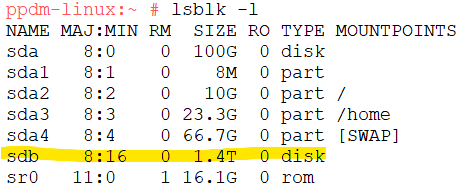
In this screen shot, I can see sdb is the 1.4TB disk that I need to mount.
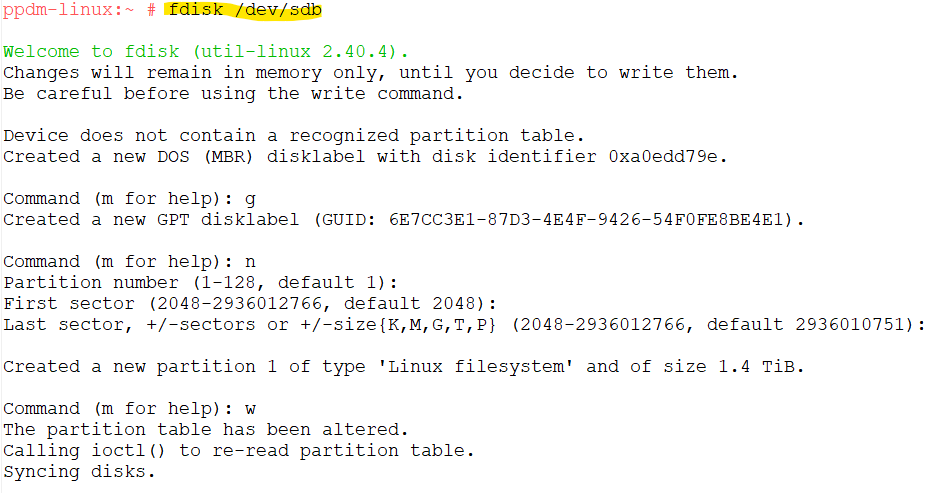
Next, we’ll use fdisk to partition the drive. In this example the entire 1.4TB disk will be used and a single partition will be created.
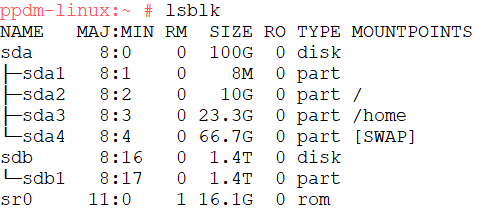
Running lsblk, we can see the partition has been created.
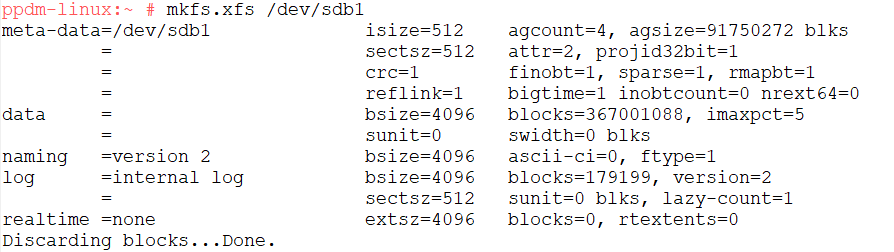
Now we’ll format the disk. In this example the disk is being formatted as XFS using mkfs.xfs
We are just about ready to mount the disk, just need to create a mount point. for PPDM on Linux, I’ll mount the disk on /opt I’ll first check that /opt is empty (it was) and then modify /etc/fstab and add the drive’s UUID so that the mount is persistent across reboots. Toget the UUID, we’ll run: blkid /dev/sdb1

We’ll then edit fstab file and add a line that will mount the specified UUID at /opt and specify that the disk is formatted XFS

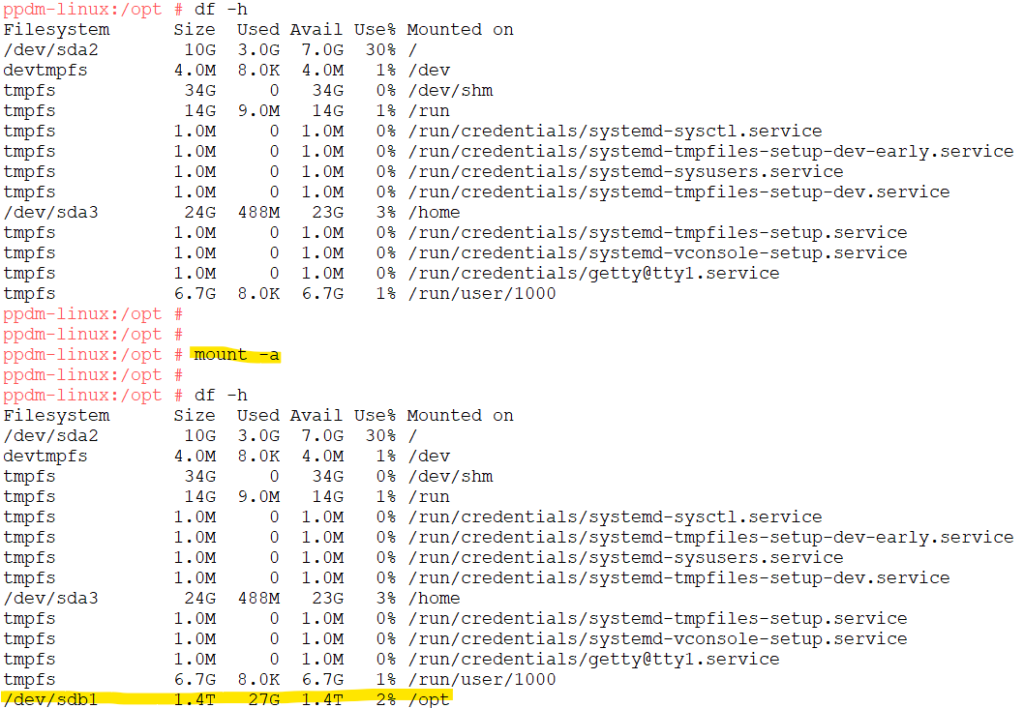
Next we can check that the disk isn’t currently mounted, then mount the disk using the fstab file. Then verify the disk is mounted.
Reboot the server if you want to verify the disk will mount on reboot (always a good idea, if you are able to reboot the server).
Enjoy!